Guide
Best AI coding editors: a practical way to choose
"Best AI coding editor" depends on what you build, which operating system you use and how much control you want over the AI. This guide gives you a way to choose, rather than a ranking we could not fairly make. We build one of the editors in this space, Arcwright, and we say so wherever it matters.
What counts as an AI coding editor
An AI coding editor is a code editor where the AI is part of the interface, not a separate chat window. It can see the file you have open and your selection, it can propose edits as diffs, and in agent modes it can read and change several files and run commands. That is different from a general chatbot where you paste code in and copy code out.
The five questions that decide it
1. What is the unit of work?
Some tasks are a single function. Some span ten files. Check that the editor handles your usual size well. A good editor offers more than one gear: a quick inline edit, a chat about the current file, and a planned multi-file change.
2. How much autonomy do you want?
Autonomy is a spectrum. At one end the AI suggests and you type. At the other it edits files and runs tests on its own. More autonomy saves time and raises the cost of a wrong turn. Look at the default, since defaults are what you will actually live with, and at how easy it is to stop a run mid-way.
3. Can you see and undo what happened?
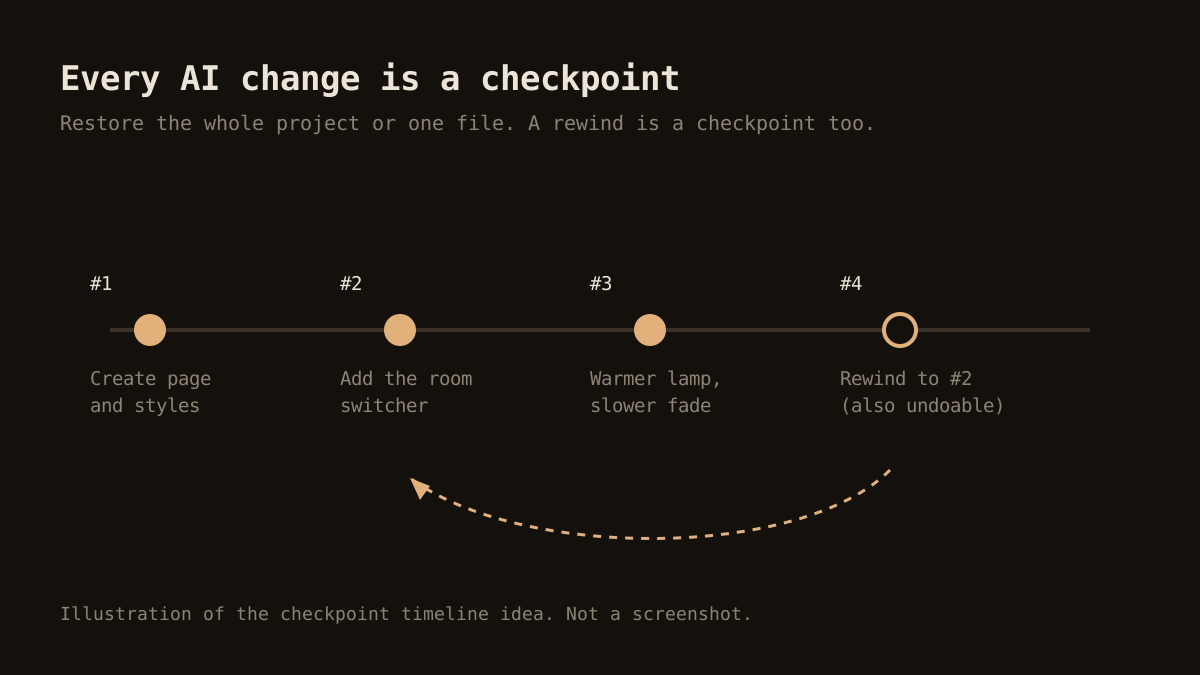
You will eventually get a change you do not want. The question is how quickly you recover. Git is the baseline. Better editors add their own history of AI changes, so you can roll back one step without untangling a commit.
4. What does it cost in practice?
Pricing models include flat plans, usage-based billing and a bring-your-own-key approach. Estimate with a real task. Also check whether there is a meter and a spending cap, because surprises are the main complaint with agent-style tools.
5. Where does your code go?
Every hosted AI feature sends some content to a server. Read what is sent, what is stored and whether it is used for training. This matters more for client work and for anything under an NDA.
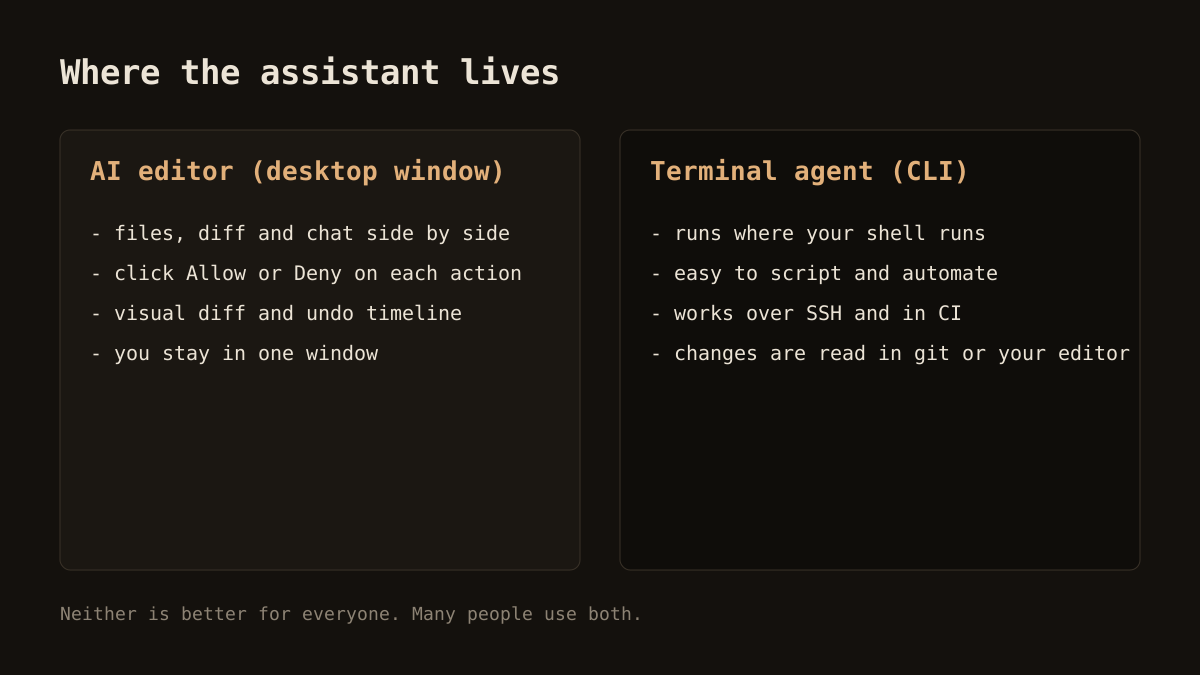
Categories of tools
AI-first desktop editors
These are editors designed around the assistant. They tend to offer the smoothest experience for chat, inline edits and agents, because the interface was built for it. Cursor is the best known example. Arcwright is another, aimed at Windows. See our Cursor alternatives guide for the comparison points.
AI extensions for a general editor
If you are happy in an editor you already know, an extension adds completion, chat and sometimes agents. You keep your setup. The integration depth varies, and some features that need deep editor changes are harder to offer.
Terminal agents
These run in a shell and work on your project from there. They are scriptable and work on remote machines. If that sounds like you, read Claude Code versus AI editors.
Browser-based builders
Some tools generate a whole app from a prompt in the browser. They are quick for prototypes. They are less suited to an existing codebase. Arcwright also has a Website Builder in the browser for signed-in users, but its core is the desktop editor.
A fair way to test
Pick two or three candidates and give each the same three jobs:
- A small fix. Rename a variable across a file and update the test. This shows speed and diff quality.
- A new feature of moderate size. For example, add rate limiting to a route and cover it with a test. This shows planning and multi-file handling.
- A mistake on purpose. Ask for something slightly wrong, then try to undo it. This shows safety and recovery.
Note how long each took, what it cost, how much you had to correct, and how you felt about trusting it. Ten minutes of testing beats an hour of reading reviews, including this one.
Where Arcwright stands
Arcwright is a Windows desktop editor with four modes: Ask for questions about your code, Forge for an agent that works in the folder, Blueprint for multi-file plans, and Sketch for small inline edits. Forge asks before it writes, deletes or runs a command, every AI change is a checkpoint you can restore, and a usage meter shows what you are spending with an optional monthly budget.
It is still young. macOS and Linux builds are not ready, and we do not claim to match every feature of larger products. What we offer is a clear permission model and a free plan with 30 minutes of AI a day, no card, so the cost of finding out is low. For setup on your PC, read the Windows guide.
Shortlist checklist
- Runs on your operating system today, not "soon".
- Shows edits as a diff before applying them.
- Has a one-step way to undo AI changes.
- Shows usage and lets you cap it.
- Has a privacy page you can read in five minutes.
- Has a free tier or trial long enough to run your own test.
If a tool ticks those boxes, it deserves a place on your list. To see how Arcwright does, read the features, check pricing or download it.