Guide
Cursor alternatives: how to choose an AI coding editor
Cursor is the editor many people think of first when they hear "AI coding editor". It is a good product, and it is also not the right fit for everyone. This guide explains the reasons people look for a Cursor alternative, what to compare, and where Arcwright fits. It is written by the Arcwright team, so treat our own section with the suspicion you would give any vendor.
Why people look for a Cursor alternative
Nobody switches editors for fun. The reasons we hear, and the ones that make sense to us, fall into a few groups:
- Price and predictability. Usage-based AI pricing can be hard to forecast. If a long agent run can use a large share of your month, you want a meter you can see and a cap you control.
- Control over what the agent does. Some people want every file write, delete and terminal command to wait for approval. Others want the opposite and prefer speed. The default matters, because most people never change it.
- Platform. If you are on Windows and want a native desktop app rather than a browser tab or a fork of something you already use, that narrows the field.
- Learning and review. Beginners and careful professionals both benefit from seeing every change as a readable diff before it lands.
- Simplicity. A fork of a large general-purpose editor inherits a lot of settings and extensions. Some people want a smaller surface.
What to compare before you switch
Ignore feature checklists and run the same small job in each editor. Pick a real task, such as adding input validation to one route and a test for it. Then compare these things:
- How changes are shown. Can you read the whole change as a diff before it is applied? Can you accept part of it?
- How you undo. Is there one step to put everything back, or do you rely on git alone? Both are fine, but know which one you have.
- What happens when you do nothing. Does the agent stop and wait, or does it carry on and run commands?
- What it costs for that task. Look at the usage after the run, not the marketing page.
- What leaves your machine. Read the privacy page. Know which files and prompts are sent to a server.
- How it feels after an hour. Speed, focus and annoyance matter more than a feature table.
The main kinds of alternative
Other AI editors
There are several desktop editors built around an AI assistant, some forked from VS Code and some written from scratch. They differ mostly in how autonomous the agent is by default, how pricing works, and how much of your existing editor setup carries over. If you rely on a specific set of VS Code extensions, check that carefully before leaving a VS Code-based editor, because that is where switching costs hide.
Extensions inside the editor you already have
If you like your current editor, an AI extension may be enough. You keep your keybindings and plugins. The trade-off is that the assistant is a guest in someone else's window, so integration can be shallower.
Terminal agents
Terminal-based tools run in your shell and edit files in your project. They are strong for scripting, remote machines and people who live in the terminal. Our separate guide on Claude Code and AI editors covers when that style suits you better than a desktop window.
Where Arcwright fits
Arcwright is a desktop AI coding editor for Windows. We built it around one idea: the assistant should show its work. Concretely:
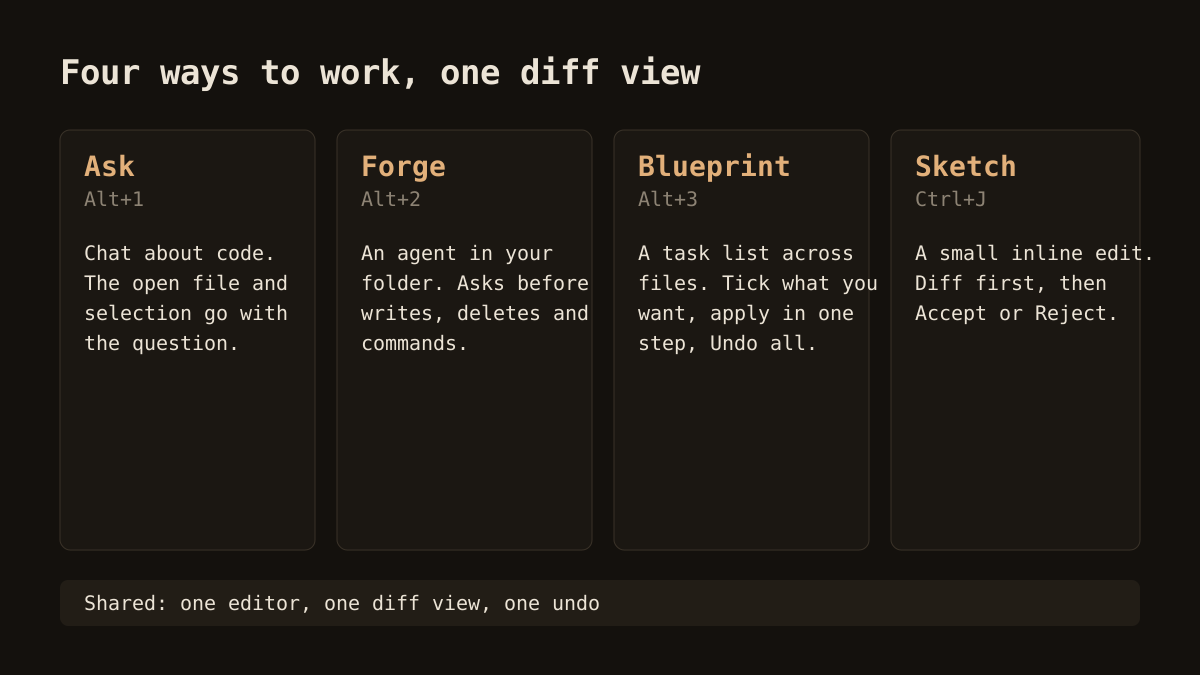
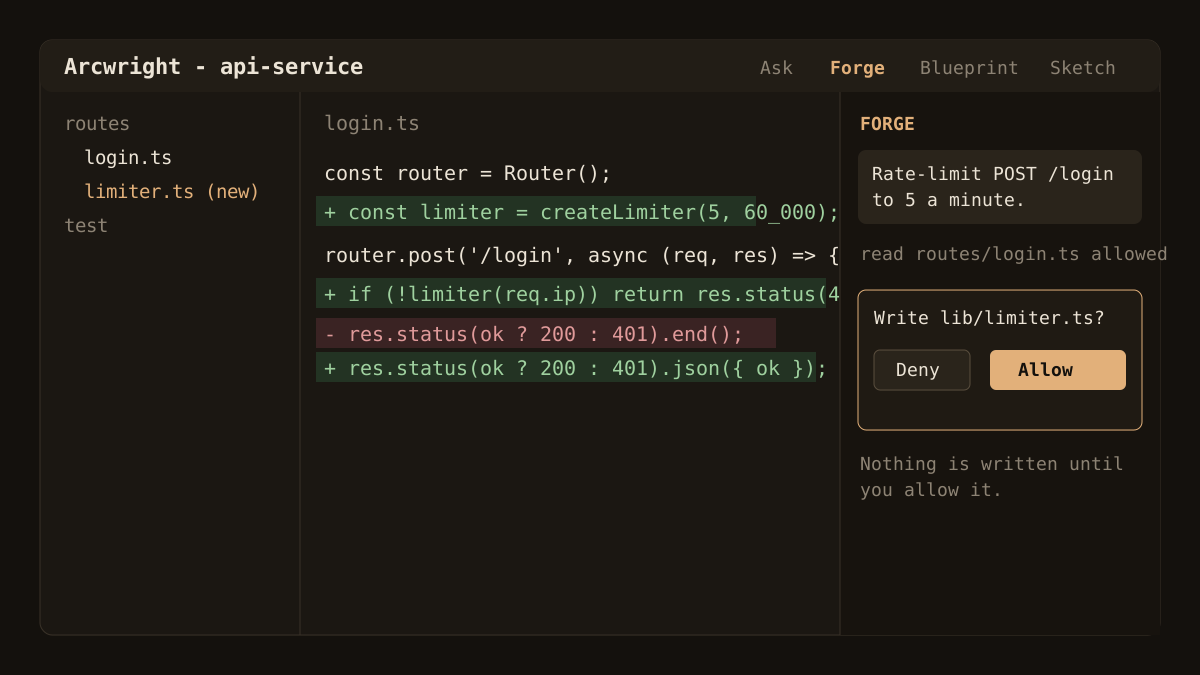
- Forge asks first. When the agent wants to write a file, delete one or run a command, the app shows a prompt and waits for Allow or Deny. The permission check runs in the app, not in the model. You can loosen this if you prefer speed.
- Edits arrive as diffs. Sketch gives you a diff to accept or reject. Blueprint plans a change across files as a task list; you tick the tasks you want, review each as a diff and apply them in one undoable step.
- A timeline. Each AI change is a checkpoint with the prompt that caused it. You can restore the project or a single file, and a rewind is itself a checkpoint.
- A visible meter. Tokens and credits update as you work, and you can set a monthly budget with a warning at 80% and a stop at the cap.
Where Arcwright is not the right choice
We would rather you pick the right tool than the wrong one from us. Arcwright may not suit you if:
- You use macOS or Linux. Those builds are not ready yet, so today Arcwright is Windows only.
- You depend on a large library of editor extensions that you cannot give up.
- You want a fully hands-off agent running in CI or over SSH. A terminal agent fits that better.
- You need a team product with the maturity of a long-established vendor. Arcwright is young.
Try it without risk
The Free plan gives you 30 minutes of Arcwright AI a day with no card. The clock only runs while a request is working, so reading code and thinking cost nothing. That is enough to run the small test job described above and decide. If you want the details on limits and paid plans, see pricing, or read the broader guide to AI coding editors to compare categories first.
When you are ready, download Arcwright for Windows or read the feature overview to see how each mode works.