Guide
What is vibe coding?
Vibe coding means building software by describing what you want in plain language and letting an AI write most of the code, while you steer by running the result and giving feedback. The phrase became popular in 2025. This guide explains what it is, where it works, where it breaks, and how to do it without losing control of your project.
A plain definition
In vibe coding you stay at the level of intent. You say "add a login page with a rate limit" or "make the study lamp warmer and slow the fade", the AI edits the code, you run it, and you react to what you see. You do not necessarily read every line. The "vibe" is that you go by how the result behaves.
That is different from AI-assisted engineering, where you use the same tools but still read, test and own every change. The tools are the same. The habits differ.
Where vibe coding works well
- Prototypes and demos. You want to see an idea working in an afternoon.
- Personal tools and scripts. A file renamer, a dashboard for your own data, a home console. If it breaks, only you are affected.
- Learning. Seeing a working example and then asking how it works is a fast way to learn.
- Boilerplate. Forms, CRUD screens, config files and tests that follow a pattern.
- Exploring options. Trying three layouts quickly before choosing one.
Where it goes wrong
- Security-sensitive code. Authentication, payments, file uploads and anything that handles other people's data should be read and understood. AI-written code can look correct and still be unsafe.
- Growing codebases. Without structure, each prompt adds code on top of code. After a while nobody, including the AI, knows how the pieces fit.
- Silent regressions. A change that fixes one thing can break another. Without tests you will find out later.
- Runaway agents. An agent allowed to run commands and delete files unattended can do real damage on a bad guess.
- Cost. Long loops of "try again" use tokens. Without a meter you only see the bill afterwards.
Habits that make vibe coding safer
Work in small steps
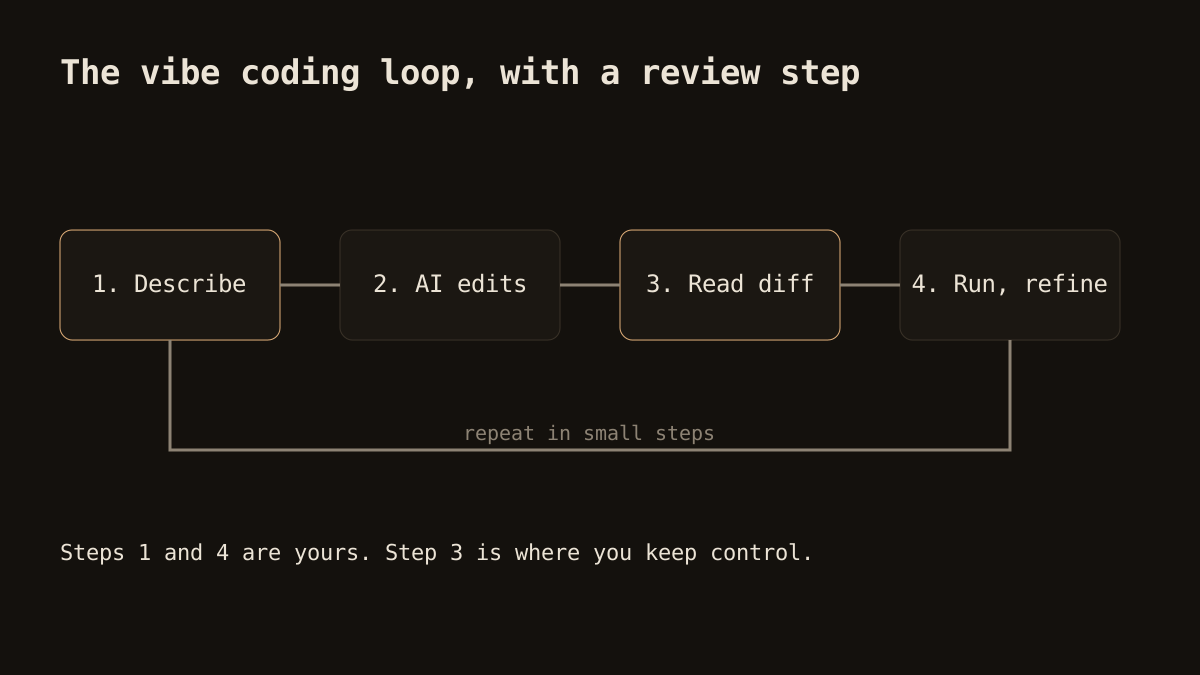
One request, one visible change. If a prompt touches ten files and you cannot tell what happened, split it. Small steps make mistakes cheap to spot and to reverse.
Keep version control on
Commit before a big session and after each good state. Even if your editor has its own undo, git is the safety net that does not depend on any tool.
Read the diff, at least skim it
You do not need to review like a code auditor on a weekend project. But glance at what changed, especially deletions and anything touching secrets, network calls or file paths.
Ask for tests
Tell the AI to write a test for what it just built, then run it. A passing test is a cheap, repeatable check that your "vibe" matches reality.
Set limits
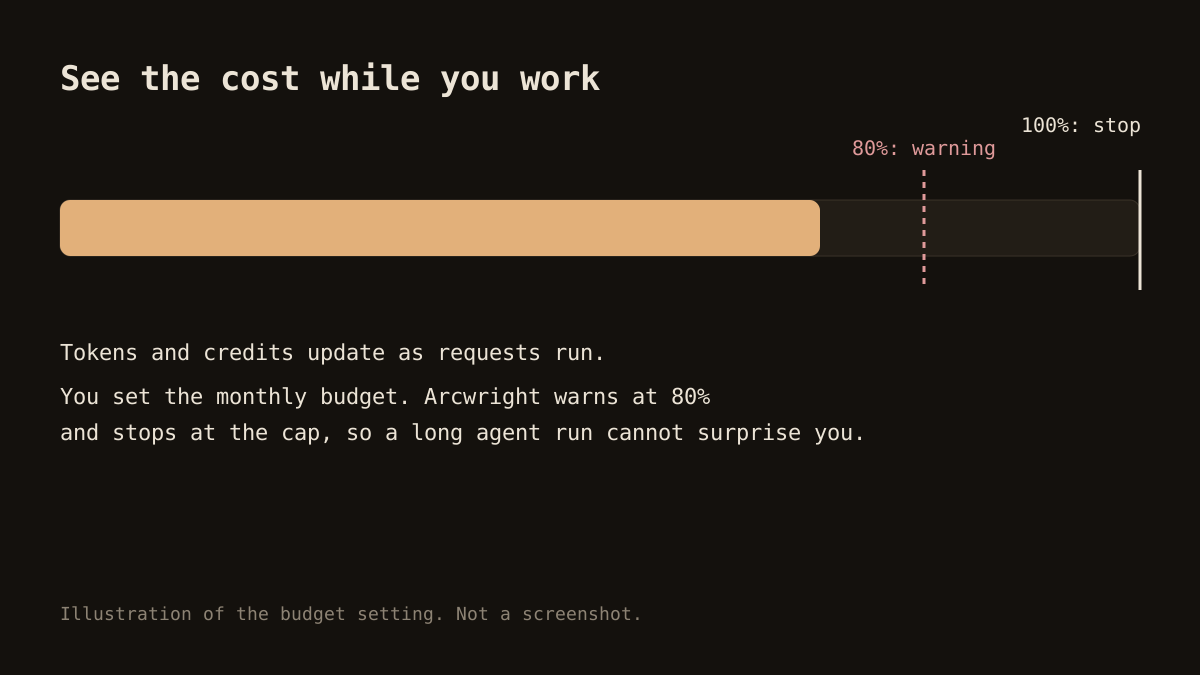
Decide in advance how much autonomy and how much budget a session gets. A monthly budget cap, or approval before commands, keeps a bad loop from running away.
How Arcwright supports this style
Arcwright is a Windows AI coding editor built for people who want the speed of vibe coding with a way to stay in charge. The four modes map neatly onto the loop above: Ask to understand the code, Forge to let an agent work in your folder, Blueprint to plan a change across files, Sketch to make a small inline edit.
- Forge asks before it writes a file, deletes one or runs a command. You answer Allow or Deny. You can turn this off for speed.
- Every change arrives as a diff you can read. Blueprint lets you tick which tasks to apply and offers Undo all.
- Each AI change is a checkpoint with the prompt that caused it. Restore the project or one file. A rewind is itself a checkpoint.
- A meter shows tokens and credits as you work. A monthly budget warns at 80% and stops at the cap.
The shortcut Ctrl+Alt+Shift+H halts a Forge run at once.
What vibe coding is not
It is not a promise that anyone can ship a secure, scalable product without understanding it. It is also not cheating. It is a way of working that moves effort from typing to describing and reviewing. The skill shifts toward clear requests, good judgement about when to look closer, and knowing what you cannot safely skip.
Getting started
- Pick a small project you care about but that carries no risk.
- Start from an empty folder or a copy of an existing project.
- Describe the first screen in two or three sentences. Run it.
- Make changes one at a time. Read each diff.
- Ask for a test once something works, and commit.
The Arcwright Free plan gives you 30 minutes of AI a day, with no card, which is plenty for this kind of first project. Arcwright is Windows only for now; macOS and Linux builds are not ready. Download it, see pricing for the paid plans, or read how to review AI-generated code next.